The 40LOVE app
Everything a member does on their phone — entering competitions, filing scores, finding a game and keeping up with the club.
On this page
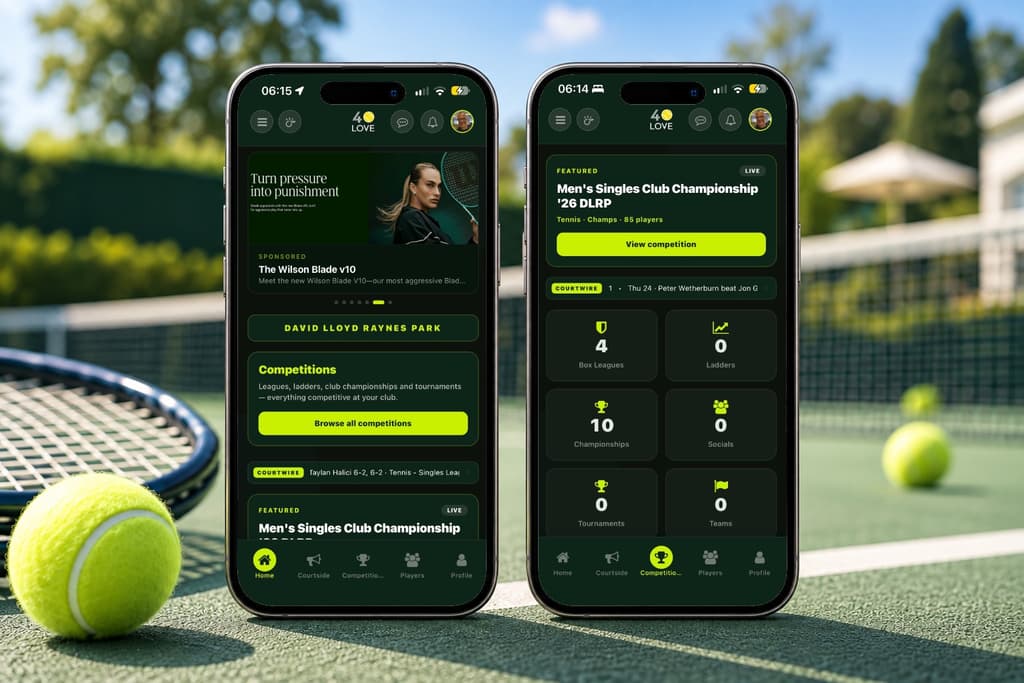
Viewing competitions
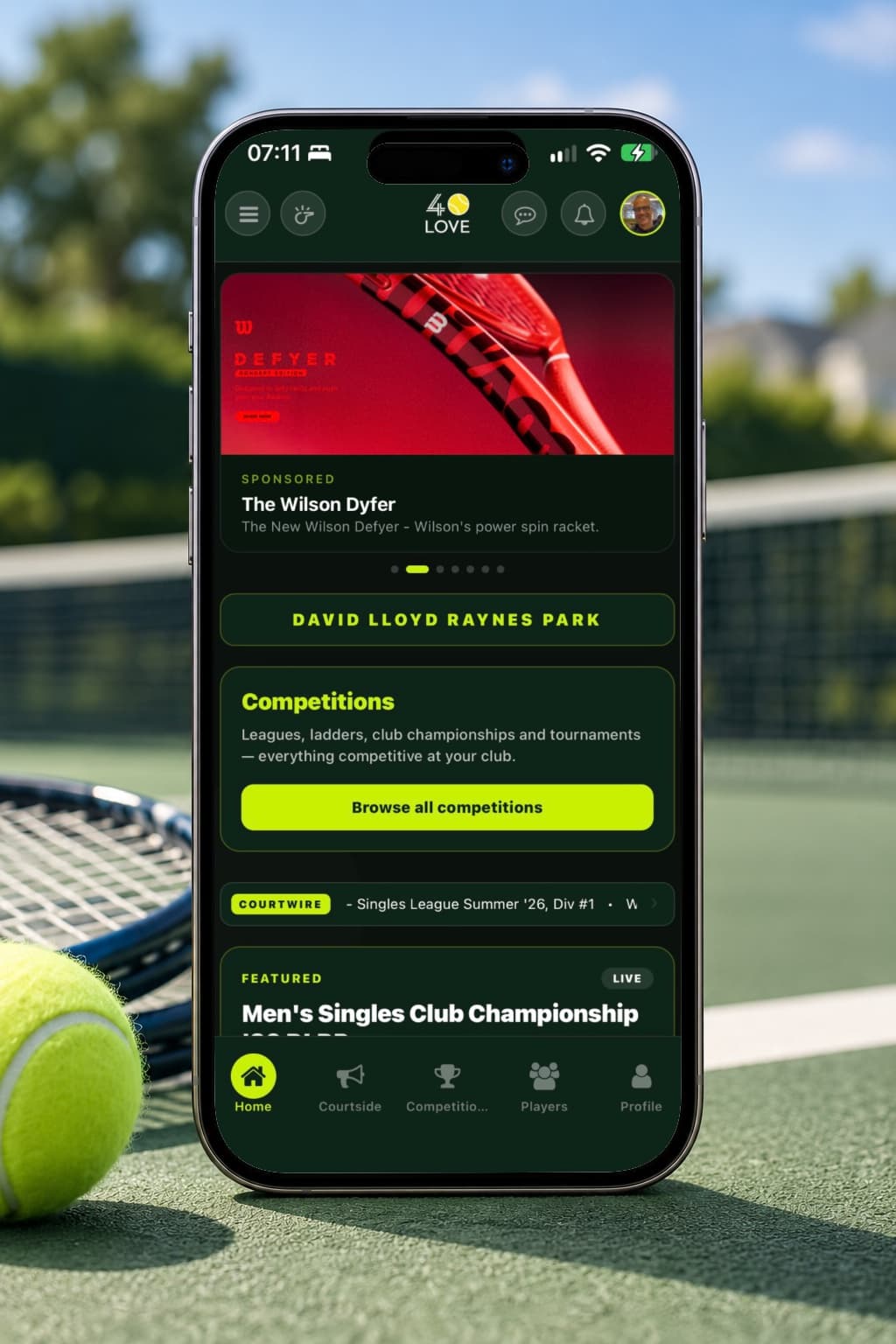
The Competitions tab shows everything running at your club — box leagues, ladders, club championships, tournaments and socials — alongside the ones you have entered. Open any competition to see its format, the rounds, the fixtures and the current standings, whether or not you are playing in it.
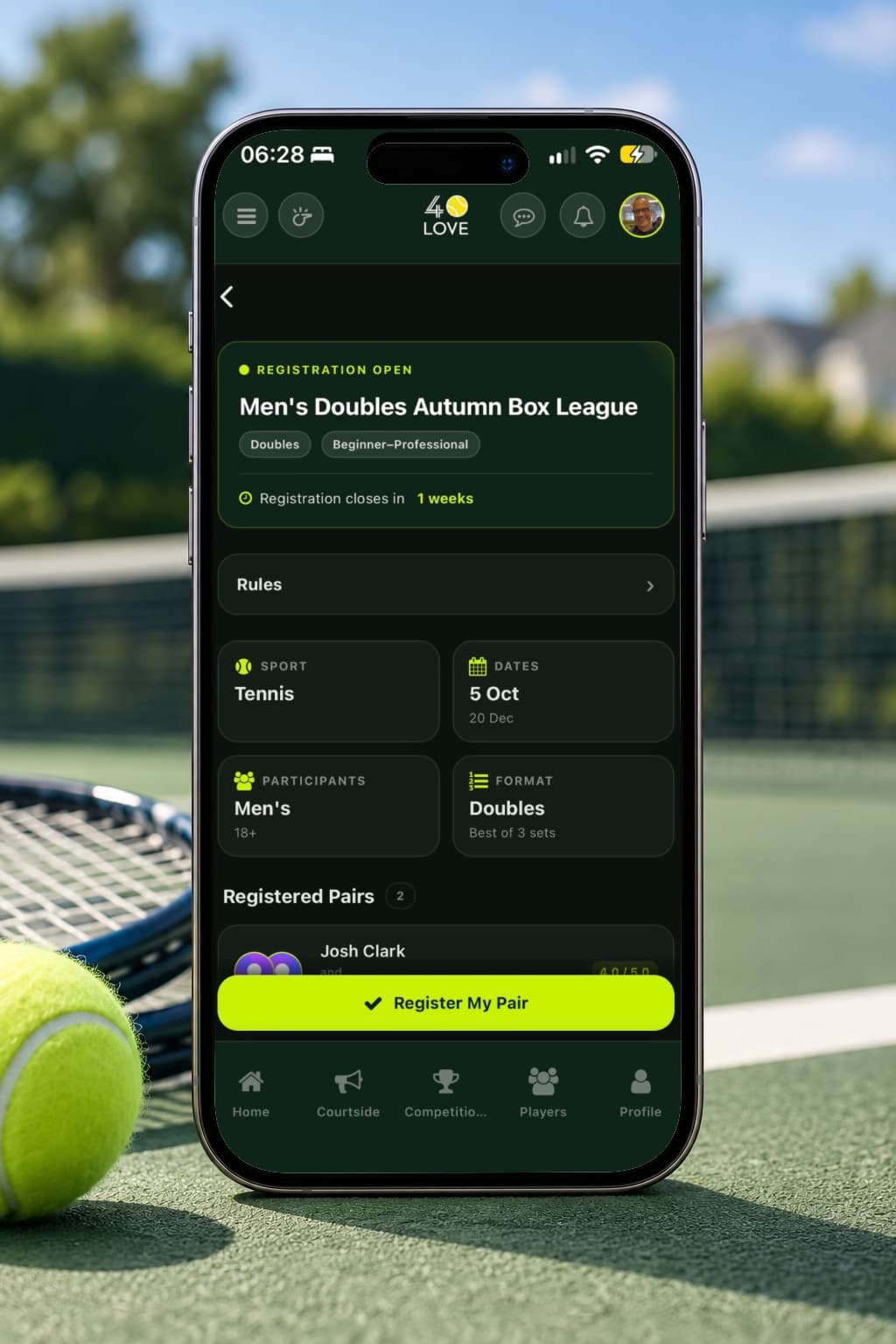
Registering for competitions
Open a competition that is accepting entries and tap Register. Doubles competitions ask you to choose a partner from your club, and both of you are entered together. If the competition is already full you join the waiting list and move up automatically as places free. You can withdraw yourself any time before the deadline the organiser set.
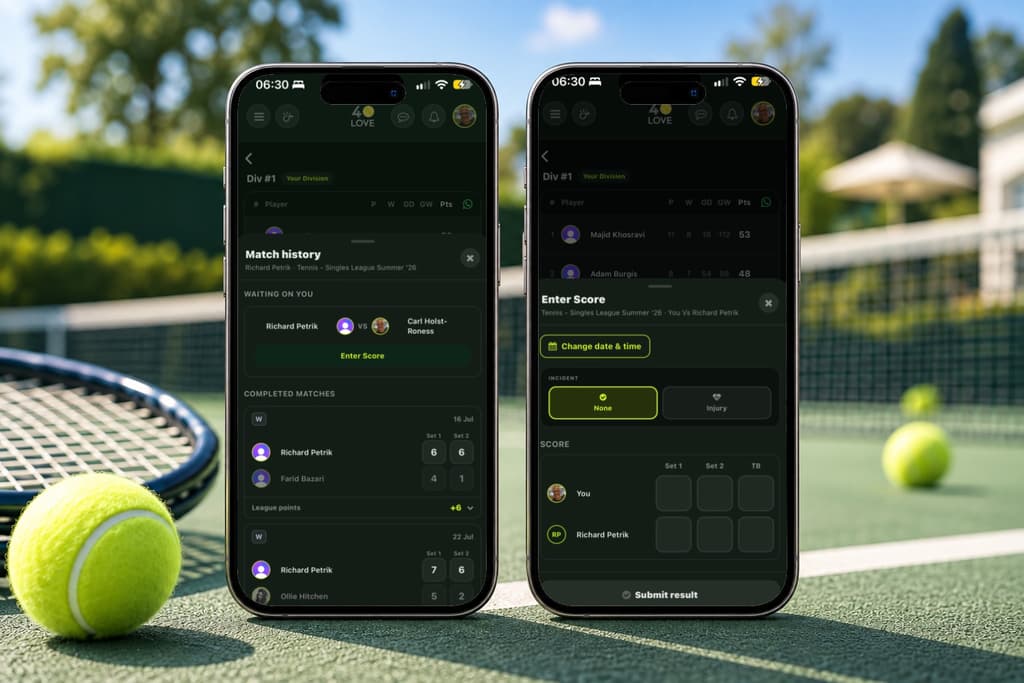
Uploading scores
Either player enters the score from the fixture — there is no need to agree who does it first. Your opponent is then shown what you entered and taps once to agree; they never have to type it out themselves. If they disagree, the organiser decides. A retirement or a walkover stands as soon as it is submitted and waits for nobody.
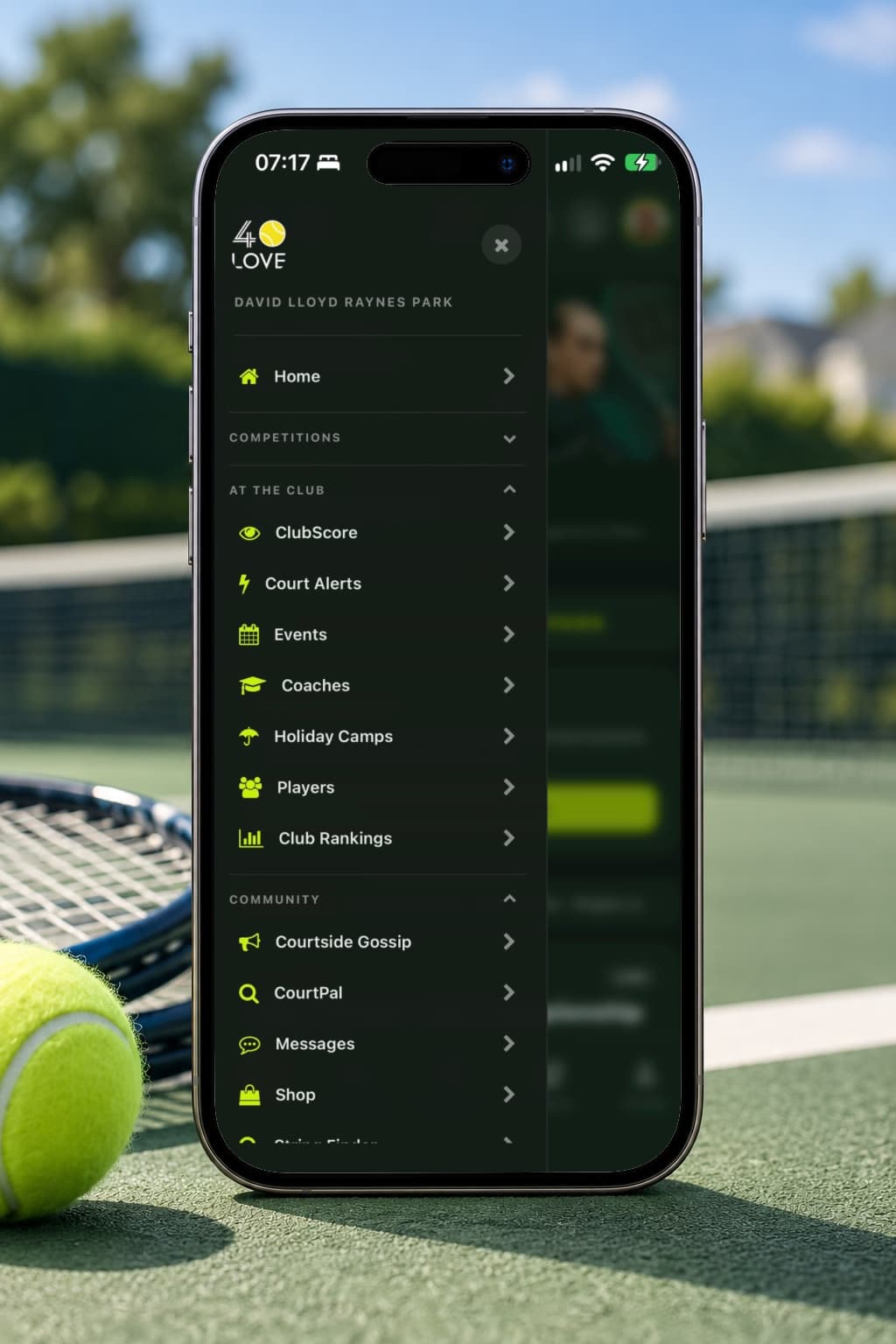
Finding your way around
The bar along the bottom holds the places you go most — home, competitions, events and the rest. The menu behind the icon in the header opens everything else: Court Pulse, Ladictions, rankings, coaches, the shop, your profile and your club's own pages. Which entries appear depends on what your club has switched on.
Setting your notification preferences
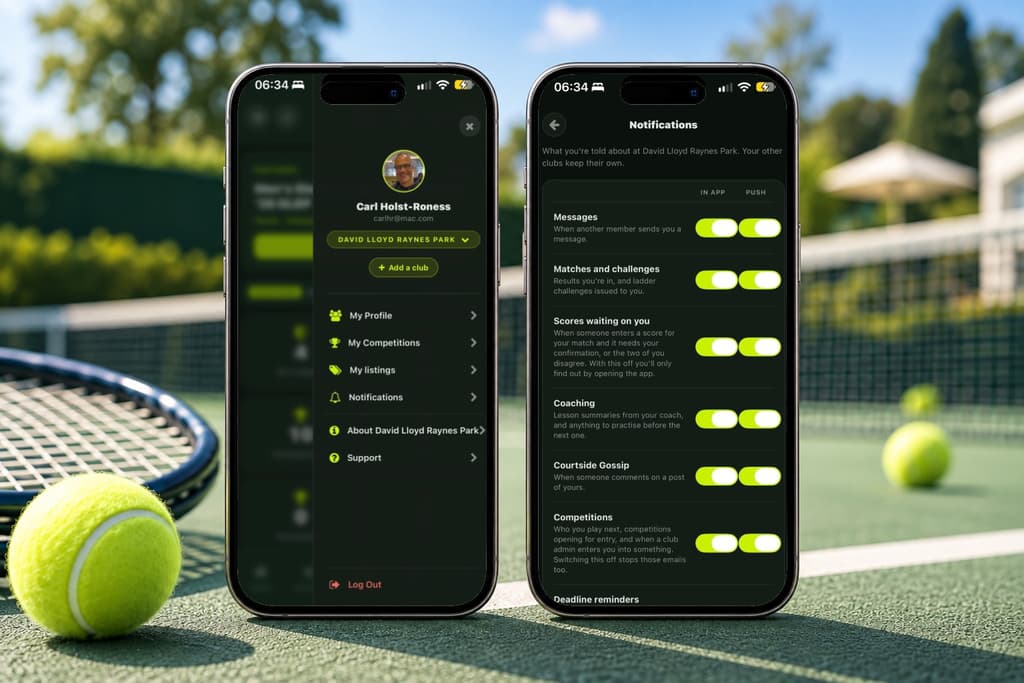
Profile → Notifications controls what 40LOVE tells you about and how. Match reminders, competition news, results and club announcements can each be turned on or off, and you choose whether they reach you as a push notification, in the in-app bell, or in the email digest. Anything to do with a competition you have entered always reaches you somehow — the rest is yours to switch off.
Court Alerts
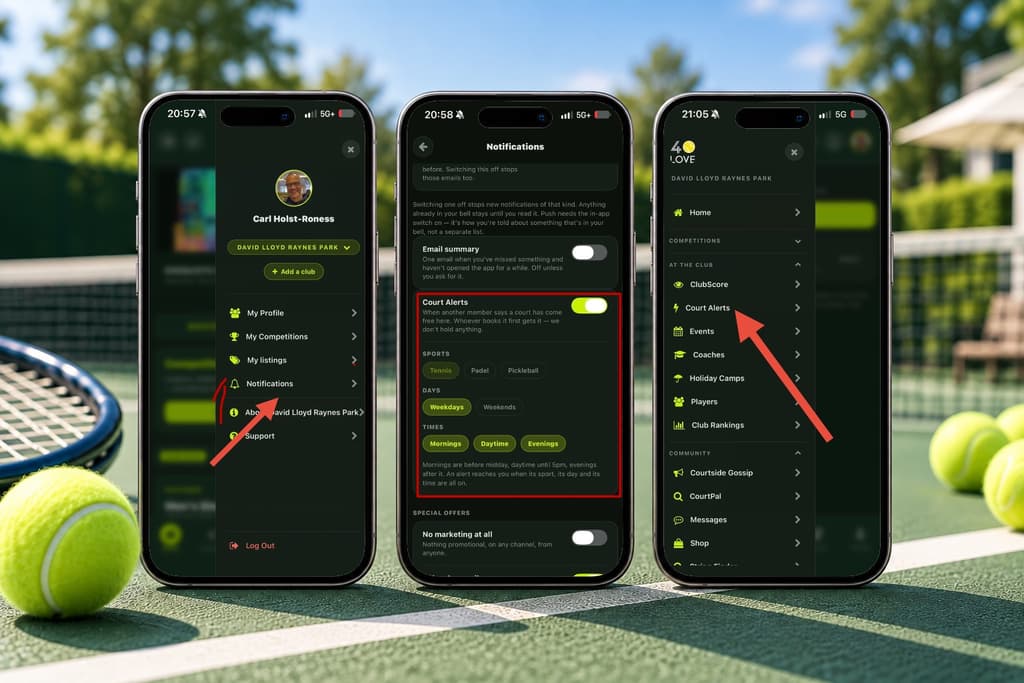
When a court comes free at short notice, a few taps tell the club — the sport, the time, how long and which court, all picked from chips. 40LOVE never books or holds anything: whoever reaches your club’s own booking system first gets the court. Turn alerts on in Profile → Notifications and choose your sports, days and times; an alert reaches you when all three match.
Talking to other players
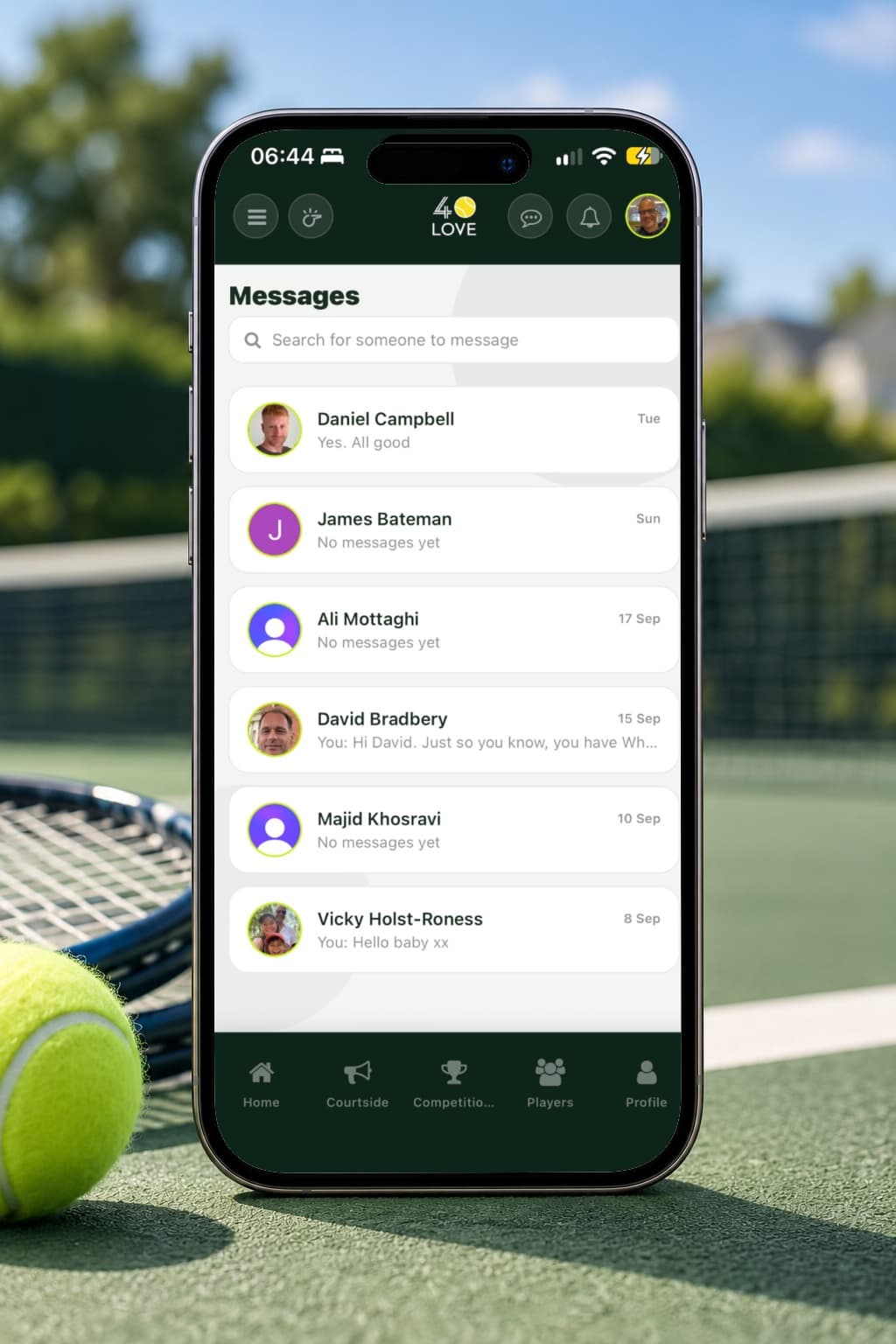
Arrange your matches without handing out your phone number. Every opponent in a competition can be reached from their fixture — by the in-app messenger, or by WhatsApp if they have chosen to share that. Your contact details are never shown to anyone who has not been matched with you, and Profile → Contact preferences is where you decide what is shared.
ATP & WTA — Court Pulse
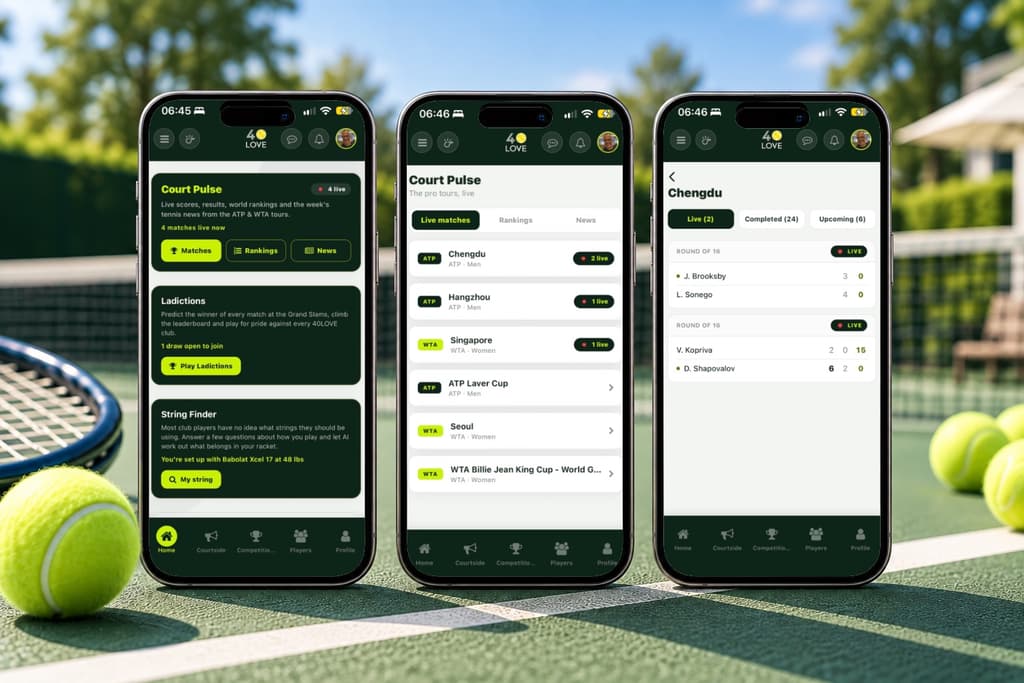
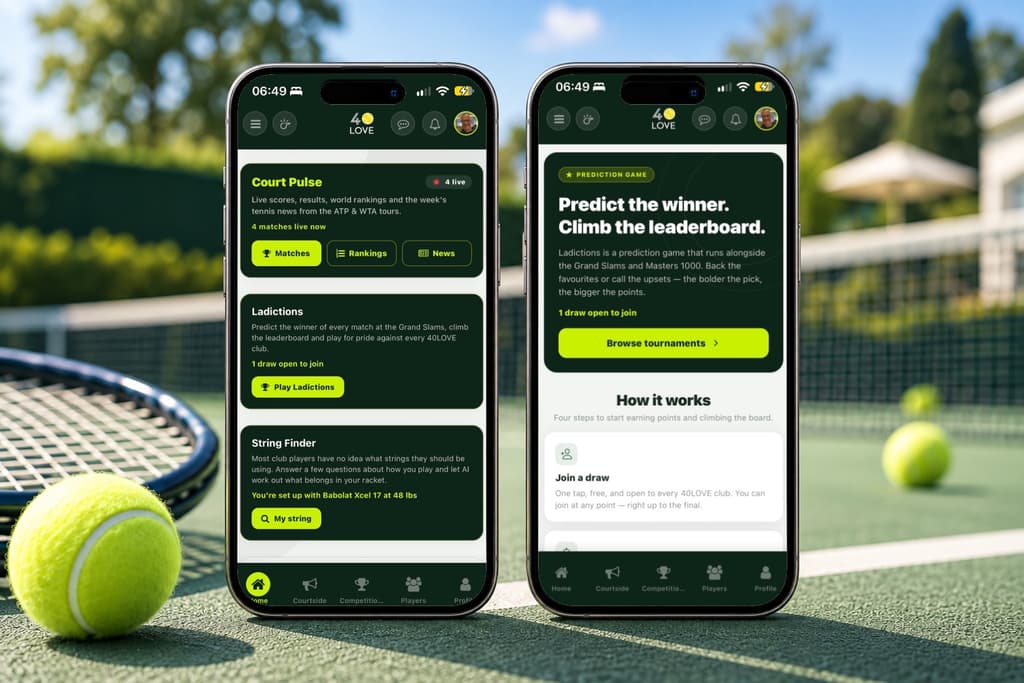
Live professional tennis inside 40LOVE. Court Pulse carries the current ATP and WTA rankings, tournament draws and results, and a page for each player. It is the same for every club and every member — nothing about it depends on where you play.
Ladictions
A prediction game on the Grand Slams and Masters 1000s. Pick your winners before a tournament starts and score points as the real results come in, with a leaderboard that runs across every club rather than just your own. No money is involved — it is played for the bragging rights.
Club rankings
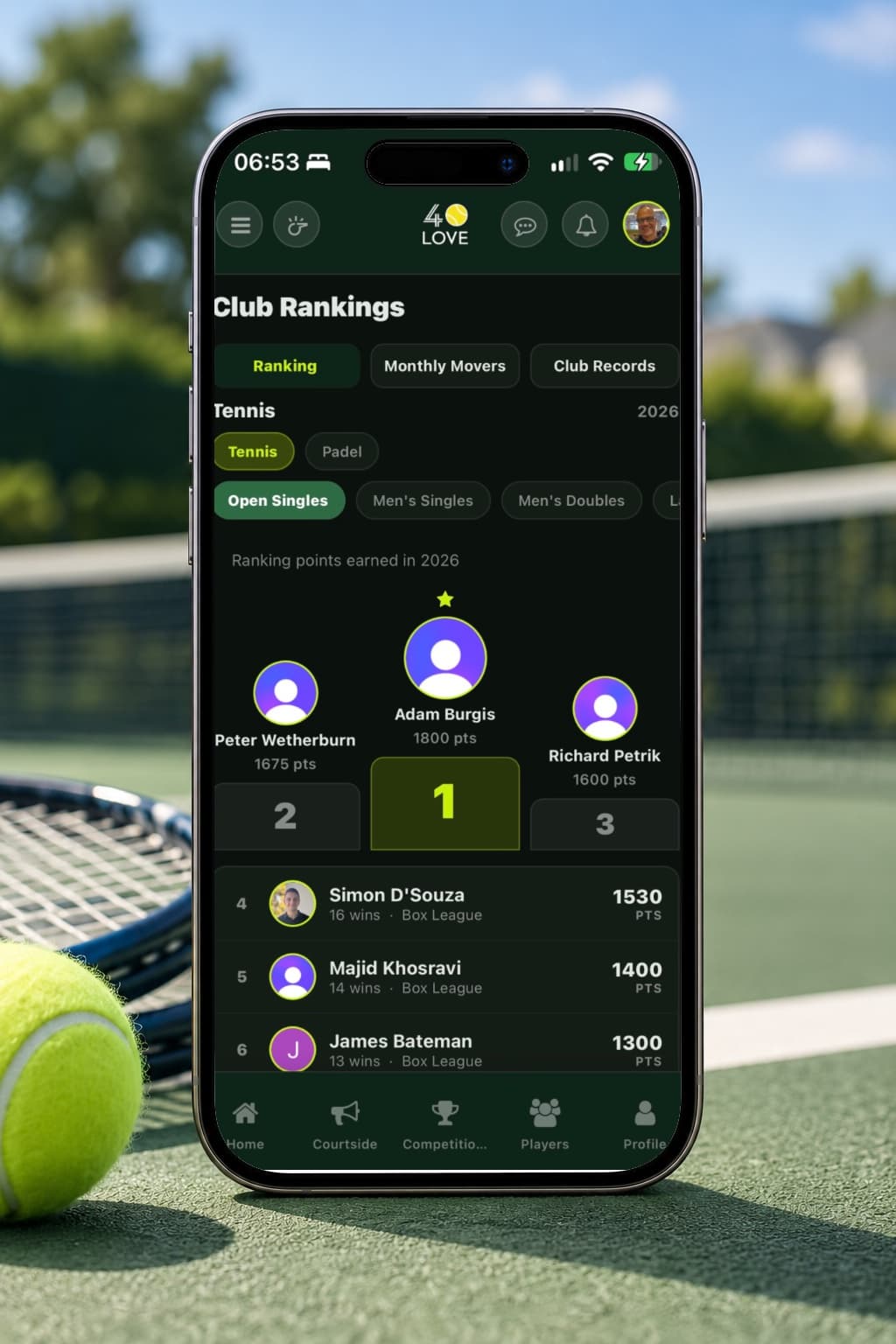
A table of who is playing best at your club this year, built from ranking points earned across every competition rather than any single one. Alongside the main ranking you will find Monthly Movers, for who is climbing fastest, and Club Records. Tap any member to see how their year has gone.
Players
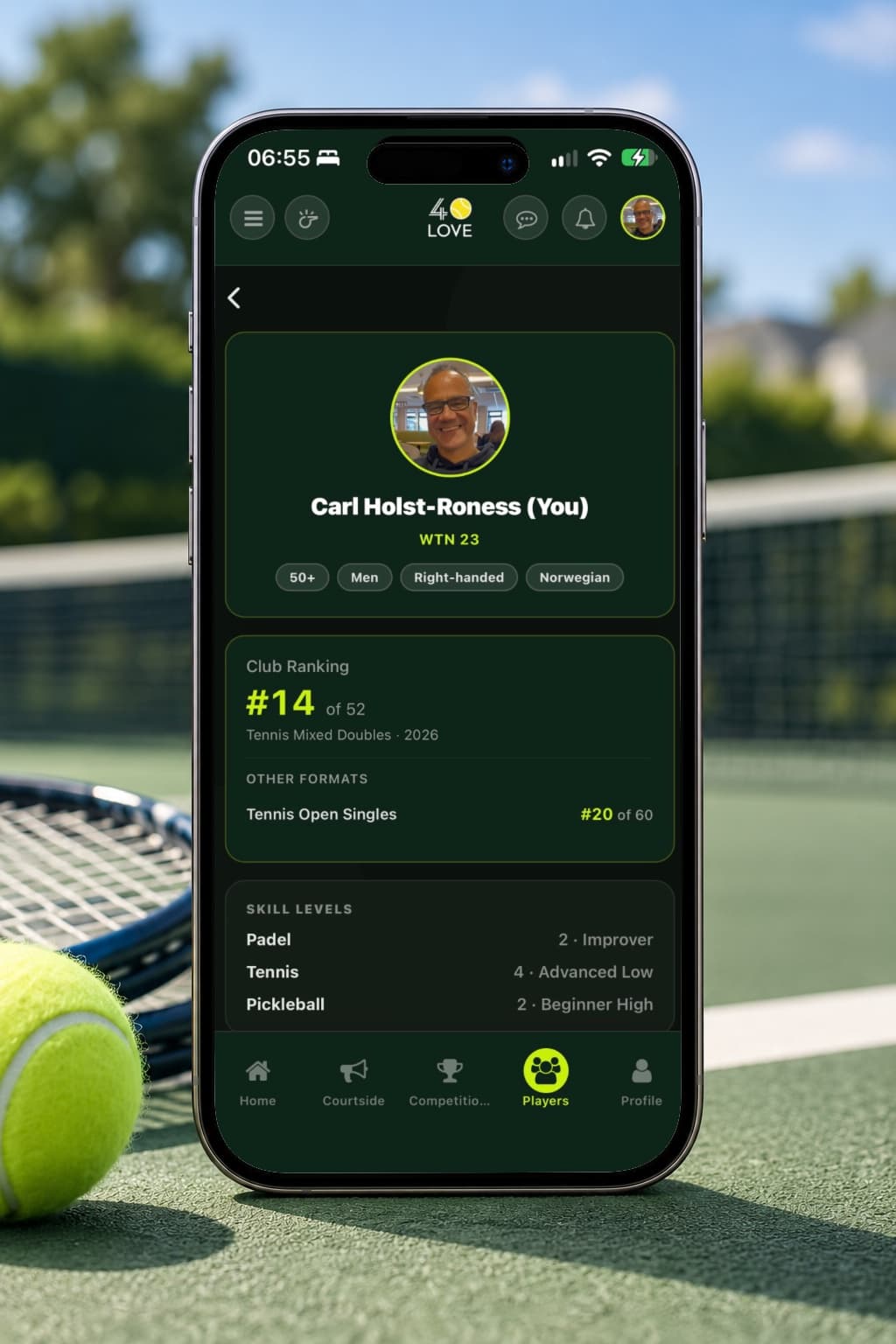
The directory of everyone at your club. Search by name or filter by playing level to find someone, and open a member to see their profile, their record and the competitions they are in. Juniors are handled differently: contact goes to a parent or guardian rather than to the child.
Finding a game — CourtPal
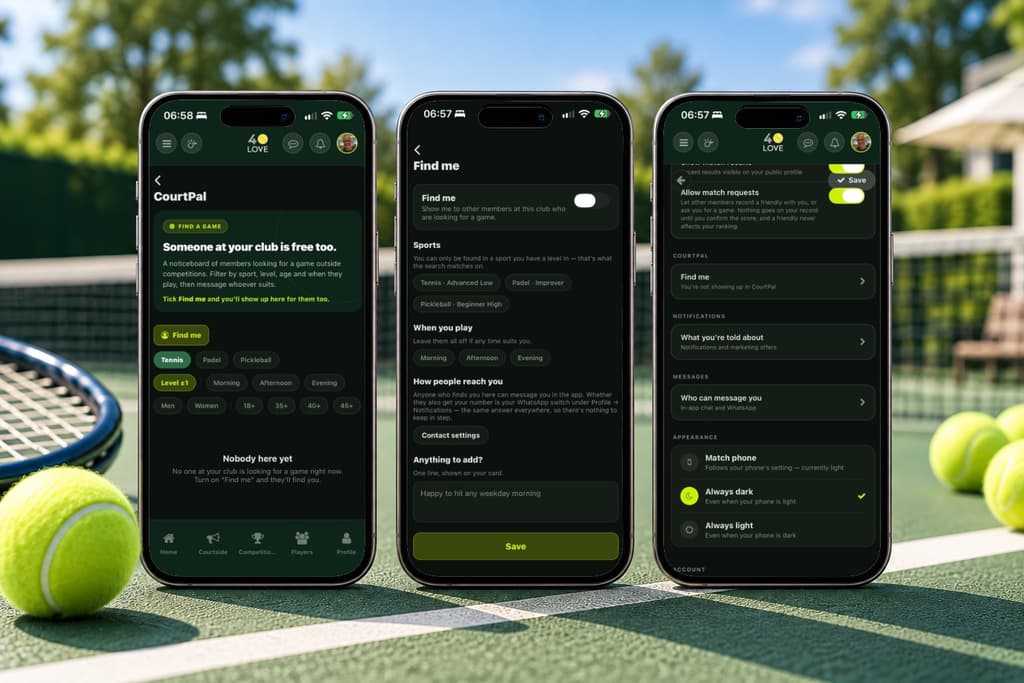
For when you want a match outside a competition. CourtPal lists members who are open to being asked, filtered to a level close to your own, and lets you invite one of them to play. Both sides have to have said they are looking, so nobody is approached who did not ask to be.
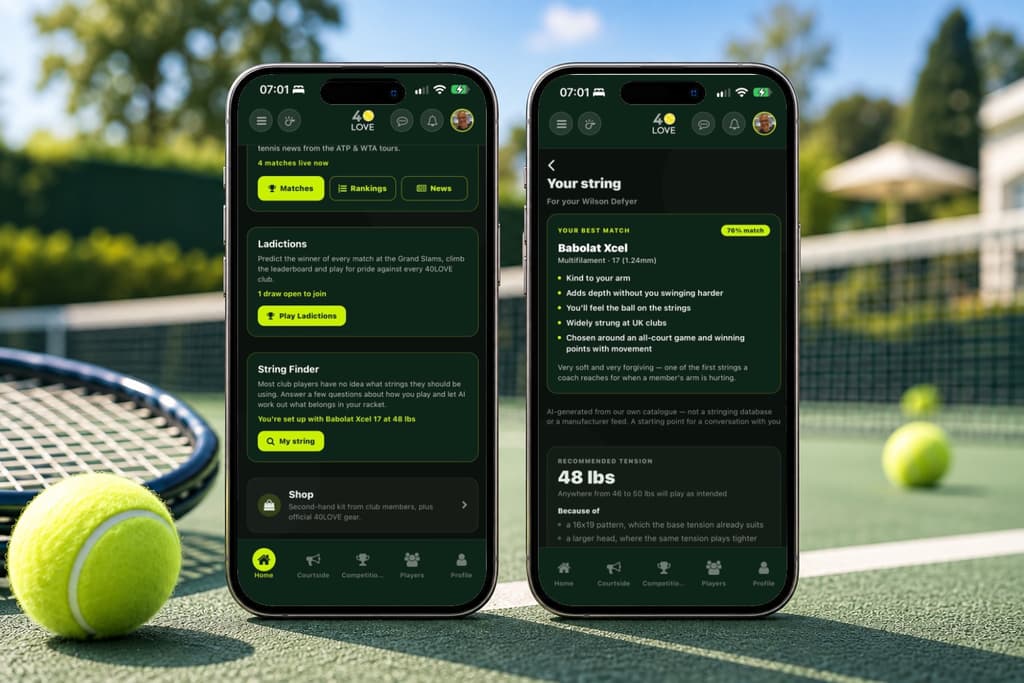
Getting an AI string suggestion
Most club players have no idea what strings suit them, and buy whatever was already on the machine. Answer a few questions about how you actually play — not what level you think you are — and 40LOVE suggests strings and a tension to try, with the reasoning shown so you can take it to your stringer.
Joining another club
One 40LOVE account can belong to several clubs. Profile → Add club is where you ask to join another, and once the club has approved you the switcher in the header moves you between them. Each club keeps its own competitions, rankings and members — only Court Pulse and Ladictions are shared across all of them.
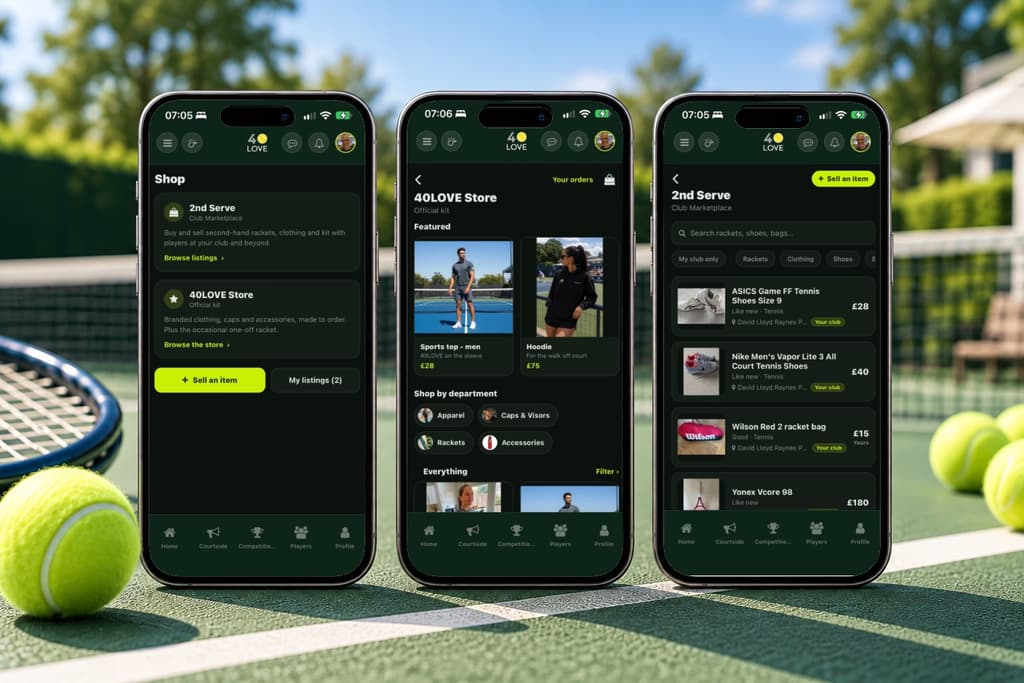
The Shop
Two halves. The 40LOVE Store sells our own branded kit, ordered and paid for in the app. 2nd Serve is your club's own second-hand noticeboard, where members list rackets and gear for other members to buy — 40LOVE takes no payment and no commission there, and you collect from the seller at the club.
Still stuck?
If the answer is not here, the 40LOVE team will find it for you.